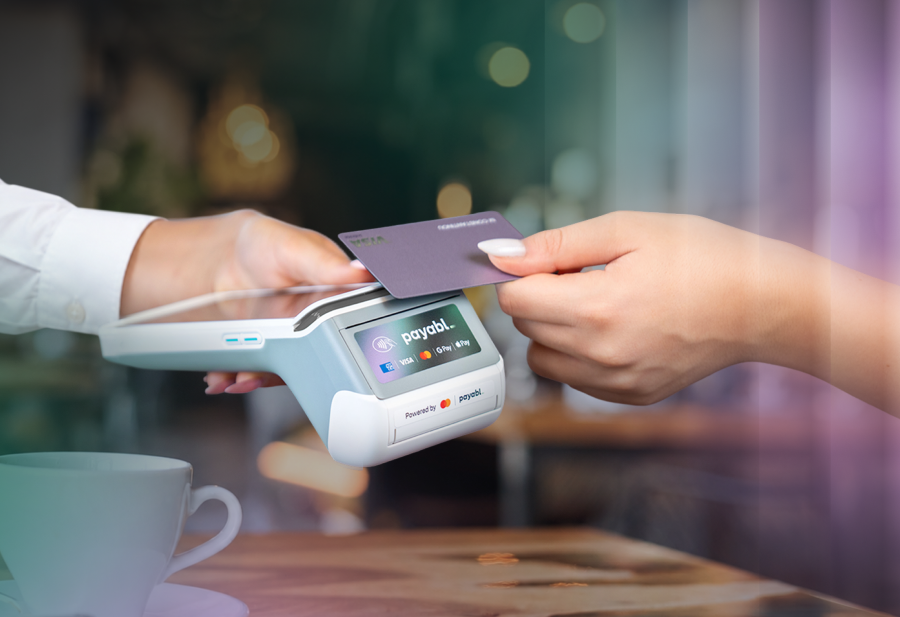
Comparing card readers properly means looking past the sticker price on the device and weighing fees, compliance, settlement speed, and how well the reader fits into the rest of your payment stack.
This guide gives European ecommerce owners and finance leaders a clear framework to compare card readers on the things that actually affect the bottom line: transaction fees, hardware cost, PCI DSS and EMV compliance, settlement time, multi-currency support, and how easily the reader connects to online checkout and Tap to pay.
What does it actually mean to compare card readers?
A card reader is the physical or software-based device that captures card or digital wallet data at the point of sale and sends it for authorisation. Comparing card readers means evaluating that device, and the provider behind it, across five dimensions: transaction fees, hardware and subscription costs, compliance and security standards, settlement speed, and integration with your existing online and in-store systems.
Most comparison guides stop at the device itself: does it take chip and PIN, does it take contactless, how big is the screen. Those questions matter, but for a business processing meaningful volume, the provider behind the reader determines far more of your total cost and risk than the plastic in your hand.
The five factors that matter when you compare card readers
1. Transaction fees and pricing structure
Transaction fees are the percentage (plus sometimes a fixed fee) a provider charges on every card payment you take. In the UK and Europe, mobile card reader fees typically range from around 1.4% to 2.75% per transaction, depending on the provider, card type, and whether the card is domestic or international.
Flat-rate pricing is simple: you pay the same percentage regardless of card type, which suits low-volume or seasonal businesses that want predictable costs. Interchange-plus pricing passes through the card scheme's actual interchange fee plus a fixed margin, which usually works out cheaper once you process more than a few thousand euros a month, but requires reading a statement properly to verify you are getting a fair margin.
For a subscription business or an ecommerce brand with a pop-up or flagship store, the fee structure on the card reader should be assessed alongside your online processing fees, not in isolation. A provider quoting a brilliant in-person rate while charging more online, or vice versa, can quietly erode margin across the full customer journey.
2. Hardware cost and device type
Card readers for European businesses generally fall into three categories:
- Mobile/Bluetooth readers that pair with a phone or tablet, typically £19 to £59, suited to markets, pop-ups, and mobile trades
- Smart terminals (countertop or handheld) with a built-in screen, printer, and standalone connectivity, typically £99 to £300+, suited to retail counters and hospitality
- SoftPOS / Tap to pay solutions that turn a compatible smartphone into the card reader itself, with no extra hardware to buy, charge, or replace
If you are comparing card readers for a growing business, do not just compare device prices. A £29 reader with a 2.75% fee and a mandatory proprietary wallet (money landing in the provider's own account before you can withdraw it to your bank) can cost considerably more over a year than a £150 terminal on a lower blended rate with next-day settlement straight to your business account.
3. PCI DSS, EMV, and PCI PTS compliance
Every card reader used in Europe must meet PCI DSS (Payment Card Industry Data Security Standard) requirements and support EMV (Europay, Mastercard, Visa) chip technology for secure chip and PIN transactions. The physical terminal itself should also carry PCI PTS (PIN Transaction Security) certification, which governs how the device protects PIN entry and card data at the hardware level.
For online and omnichannel sellers, compliance does not stop at the card reader. Strong Customer Authentication (SCA) under PSD2 and 3D Secure 2 govern how you authenticate card-not-present payments across the EU and UK, so the provider behind your card reader should also handle SCA correctly on the ecommerce side. A business accepting payments both online and in person needs a provider that treats compliance as one connected system, not two separate problems.
4. Settlement speed and where your money lands
Settlement speed is how quickly funds from a card payment reach your bank account. This ranges from instant or next-day settlement with some providers to two or three business days with others, and it matters enormously for cash flow, particularly for subscription businesses managing recurring costs or seasonal retailers stocking up ahead of peak periods.
Watch closely for providers that settle funds into their own internal wallet first, requiring a separate transfer (often with its own fee) to reach your actual bank account. That extra hop adds friction and cost that rarely appears on the headline pricing page.
5. Integration with online checkout and Tap to pay
A card reader should not be an island. The strongest setups connect the physical reader, your online checkout, and Tap to pay under a single dashboard, so a customer can tap their card in-store, pay online from the same brand, and your finance team can reconcile all of it in one place instead of stitching together reports from three different providers.
This is the omnichannel payment journey: checkout, point of sale, and Tap to pay working as one system rather than three separate vendor relationships. For a merchant running both a webshop and a physical counter or events stand, this single-dashboard view is often worth more than shaving another 0.1% off the transaction fee.
Card reader comparison table
| Factor | What to check | Why it matters for your business |
| Transaction fee | Flat-rate vs interchange-plus; domestic vs international card rates | Determines true cost per sale, especially at volume |
| Hardware cost | One-off device price vs subscription vs free-with-contract | Affects upfront investment and break-even point |
| Compliance | PCI DSS, EMV, PCI PTS certification; SCA/3D Secure for online | Protects you from fraud liability and failed audits |
| Settlement speed | Next-day to your own bank vs provider wallet with transfer delay | Directly affects cash flow and working capital |
| Multi-currency support | Can the reader and account handle multiple currencies natively | Essential if you sell across several European markets |
| Omnichannel fit | Does it connect to online checkout and Tap to pay in one dashboard | Reduces reconciliation work and vendor sprawl |
| Support | Human support hours, dedicated account manager vs chatbot-only | Matters most when a terminal fails during trading hours |
How payabl. compares on each factor
payabl. offers three POS card reader options (NEXGO N96, N86, and N6), built for businesses that want in-store hardware connected to the same platform as their online payments, rather than a standalone device bolted onto a separate system.
- Fees: transparent, negotiated pricing with no hidden costs, assessed across your full payment mix rather than in-person and online rates set in isolation
- Compliance: PCI-compliant POS terminals backed by AI-based fraud monitoring, with EMV chip and PIN, contactless, and digital wallet support (Visa, Mastercard, American Express, Apple Pay, Google Pay, Samsung Pay) built in
- Settlement: next-day settlement from your point of sale system directly to your bank account
- Omnichannel fit: every card reader connects into payabl.one, so in-store and online transactions, reporting, and reconciliation sit in a single dashboard
- Multi-currency: payabl. business accounts support multiple currencies natively, which matters if you trade across more than one European market
- Support: a dedicated client manager and human support, not a chatbot queue, when a terminal needs attention mid-shift
If your business wants to go hardware-free entirely, Tap to pay turns a compatible smartphone into the card reader itself, with no device to buy, charge, or replace. And if you want the full in-store hardware range alongside pricing details, the POS terminal page walks through all three device options.
Card readers vs Tap to pay: which should you compare against which?
A card reader is dedicated hardware built solely to accept card payments. Tap to pay (also called SoftPOS) turns an existing smartphone into that same payment terminal using near-field communication, with no extra device required.
The right comparison is not "card reader versus Tap to pay" as a single winner; it is which tool fits each moment in your business. A busy café counter may prefer a dedicated terminal with a printer for receipts and a long battery life across a full shift. A delivery driver, a pop-up stand, or a service provider visiting a client's home may prefer Tap to pay precisely because there is nothing extra to carry or charge. Many growing businesses use both, which is exactly why the dashboard connecting them matters more than the device itself.
Compare card readers like you would compare employees, not gadgets
Here is the analogy worth keeping in mind: do not compare card readers like you compare kettles, on price and looks alone. Compare them like you would compare candidates for a till job. You want to know their hourly rate (the transaction fee), how fast they hand over the cash at the end of a shift (settlement speed), whether they follow the rules without being told twice (compliance), and whether they talk to the rest of your team (integration with online and omnichannel systems). A card reader that is cheap to hire but slow to pay out and unable to collaborate with your other systems is the equivalent of hiring based on salary alone and ignoring everything else about the role.
The right card reader comparison protects margin, not just saves on hardware
Comparing card readers properly means weighing transaction fees, hardware cost, PCI DSS and EMV compliance, settlement speed, multi-currency support, and omnichannel integration together, not picking the cheapest device on the shelf. European businesses that get this comparison right end up with a payment setup that protects margin, keeps cash flow predictable, and scales cleanly as they add new markets or sales channels. Get the comparison right once, and the card reader stops being a line item you worry about and becomes infrastructure you can build growth on top of.